One period, start to finish.
Ten reps, four plans, one month. From the signed plan to the audit pack, this is what a period looks like when the system runs it. Every screen is the live demo as it stands, not a mockup. The days are the story's clock.
The plan is signed before the quarter starts.
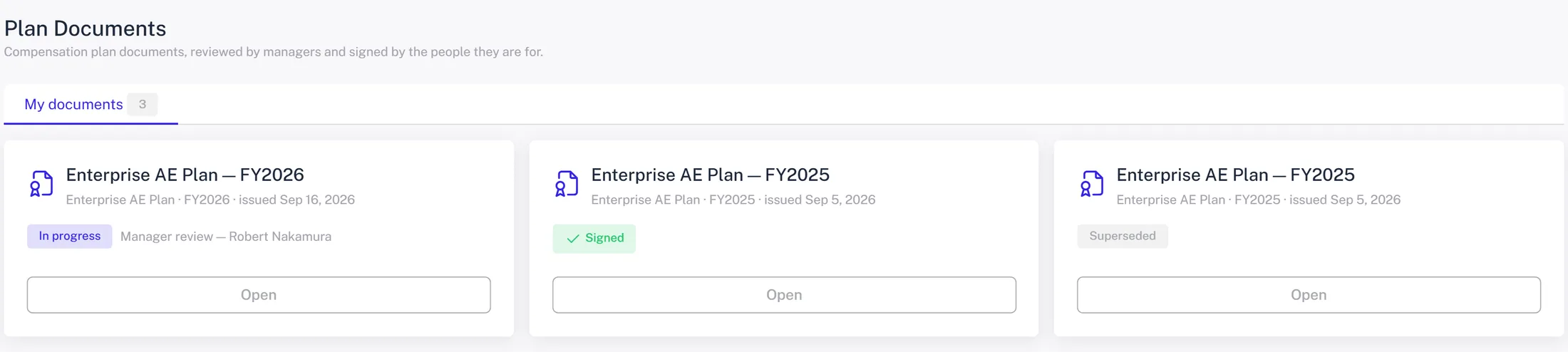
Marcus's FY2026 plan document was generated from the plan itself, with their quota and their components merged in. It went to their manager for review and then to them for signature. The signed copy is frozen with a hash; a change to the plan later is a new document, not an edit.
- ✓ Issued from a template per plan, one document per plan year
- ✓ Manager review first, then the rep signs online
- ✓ A signed plan for every paid rep is one of the audit pack's controls
A deal credits and the good news finds them.
Acme Corp moved to Closed Won in Salesforce. A trigger in the org pushed just that opportunity; the plan ran; the credit landed on Marcus's statement about ten seconds later, and a direct message told them. They asked the bot a follow-up and got an answer from their own numbers.
- ✓ No polling, no nightly wait: triggers push only the records that changed
- ✓ The DM links to the deal and the credit behind it
- ✓ Tier countdown and what-ifs answered from their plan and pipeline
What does the Northwind deal pay me?
One open deal, one month, one button. The plan is run with that deal closed, so the number is what it would actually pay, with kickers and tier moves included, not a rate times an amount.
- ✓ About fifteen seconds, on the statement page
- ✓ The same engine run finance uses for a forecast
- ✓ Reps stop asking comp ops to run the math
The pipeline is priced before it closes.
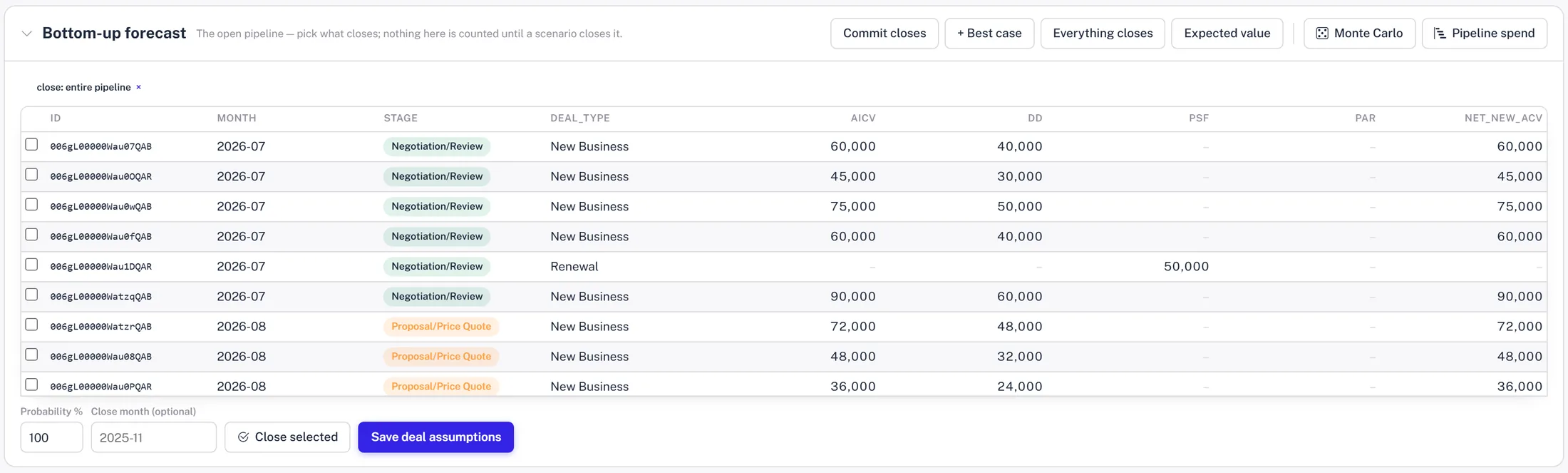
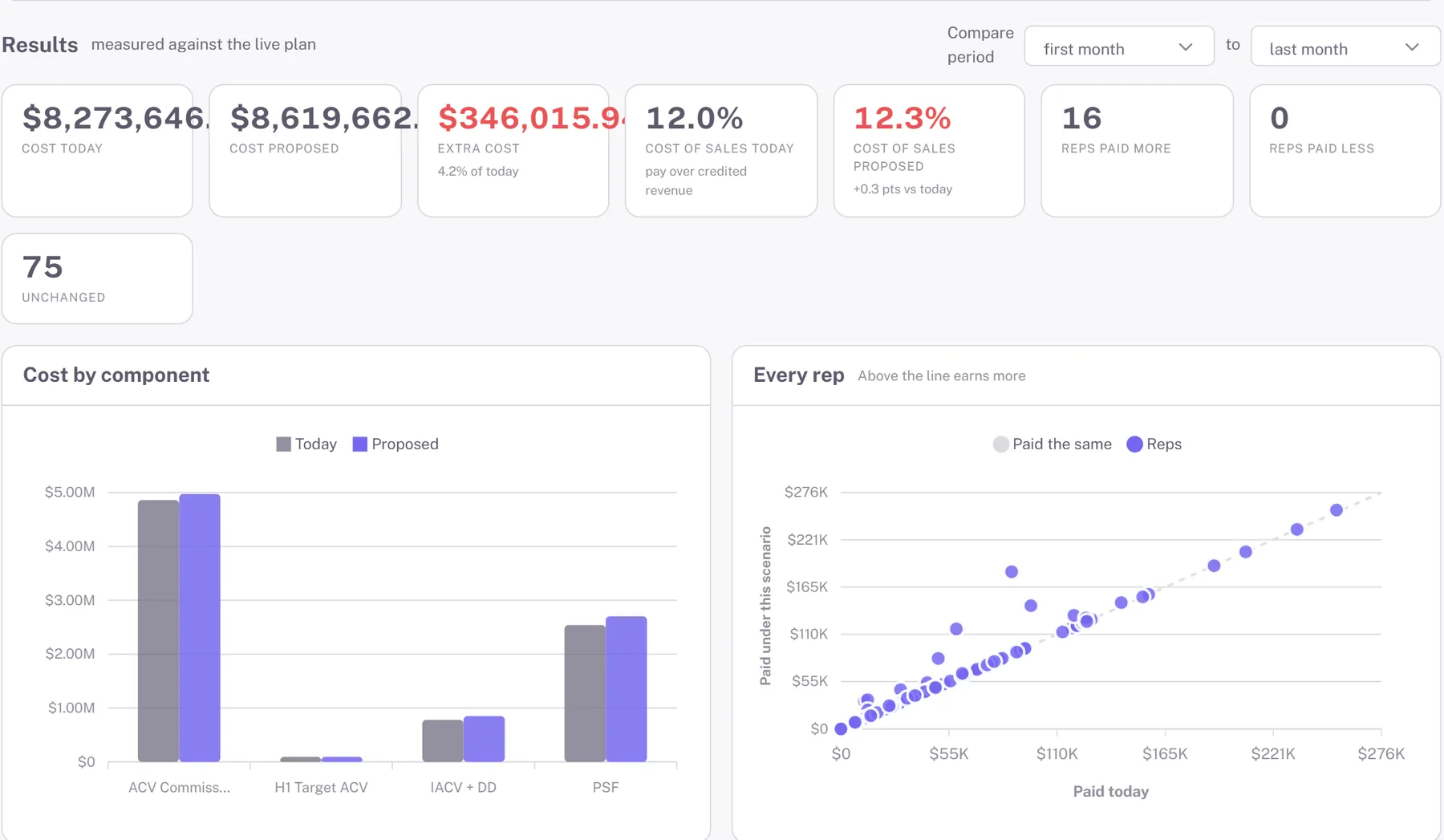
Finance opens the open pipeline from Salesforce, picks what closes and when, and the scenario runs on a fork of the whole data set. Results come back as cost today against cost proposed, cost of sales, and who the money lands on.
- ✓ Commit, best case, everything closes, expected value, or Monte Carlo
- ✓ Every forecast is a scenario: compare it, share it, promote it
- ✓ The denominator is booked revenue, so growth assumptions cannot flatter the ratio
The month ends and the checklist starts ticking.
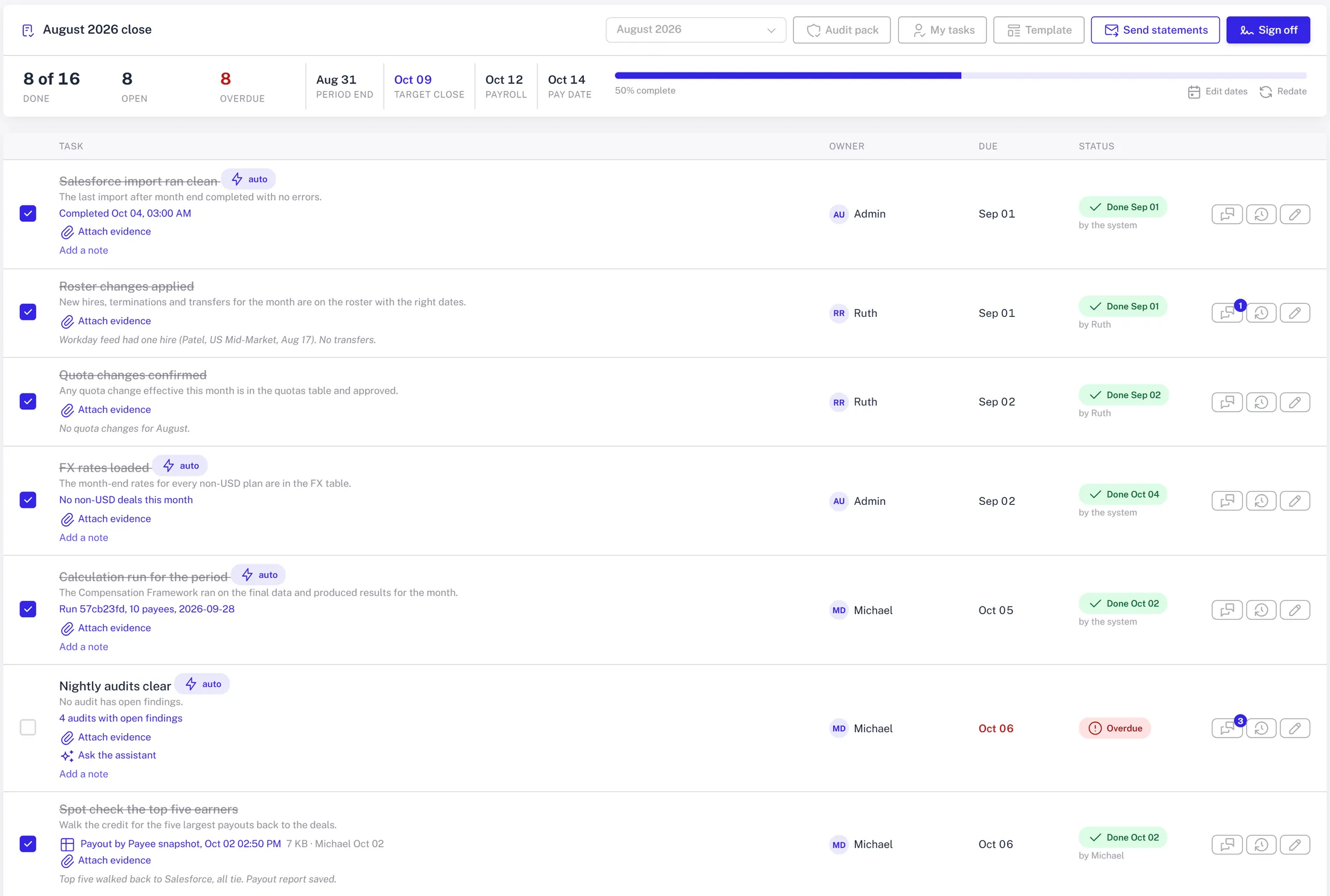
Sixteen tasks with owners and due dates off the close calendar. Ten of them complete on evidence rather than on someone's word: the import landed, the run finished, audits are clear, inquiries answered, plan documents signed, payouts locked, payroll file produced, statements sent.
- ✓ Reminders in Slack and in the app for what is due
- ✓ Sign-off refuses while a required task is open
- ✓ The lock snapshots exactly what went to payroll
The payroll file goes out in the shape payroll wants.
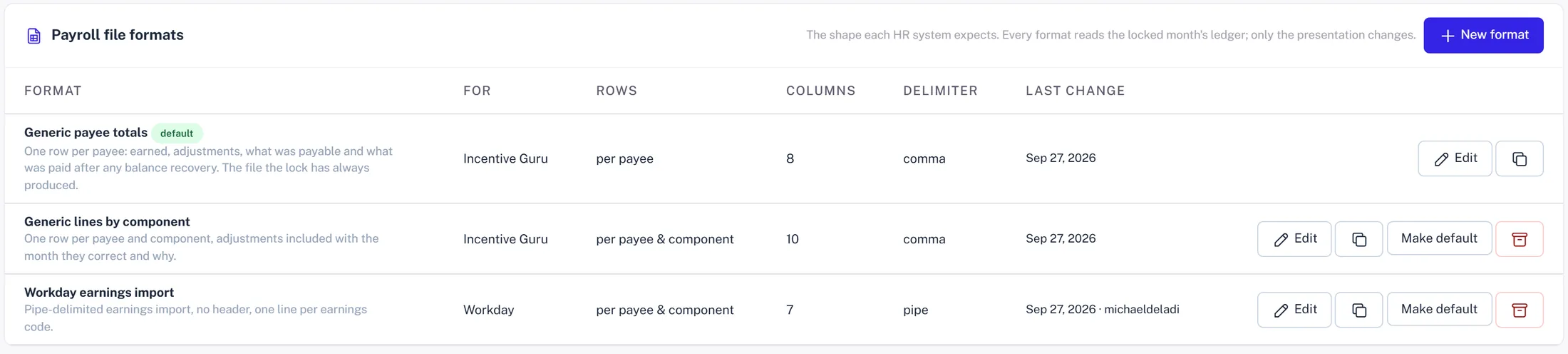
The locked month becomes a file: the columns, order, codes and filename the HR system expects, with a preview before it is sent. Every rep paid in the month gets their statement as a PDF in their inbox, logged per payee.
- ✓ Generic totals, lines by component, or a Workday earnings import
- ✓ A change to a locked month pays as an adjustment next time, never by rewriting history
- ✓ Statements render on the server and email themselves
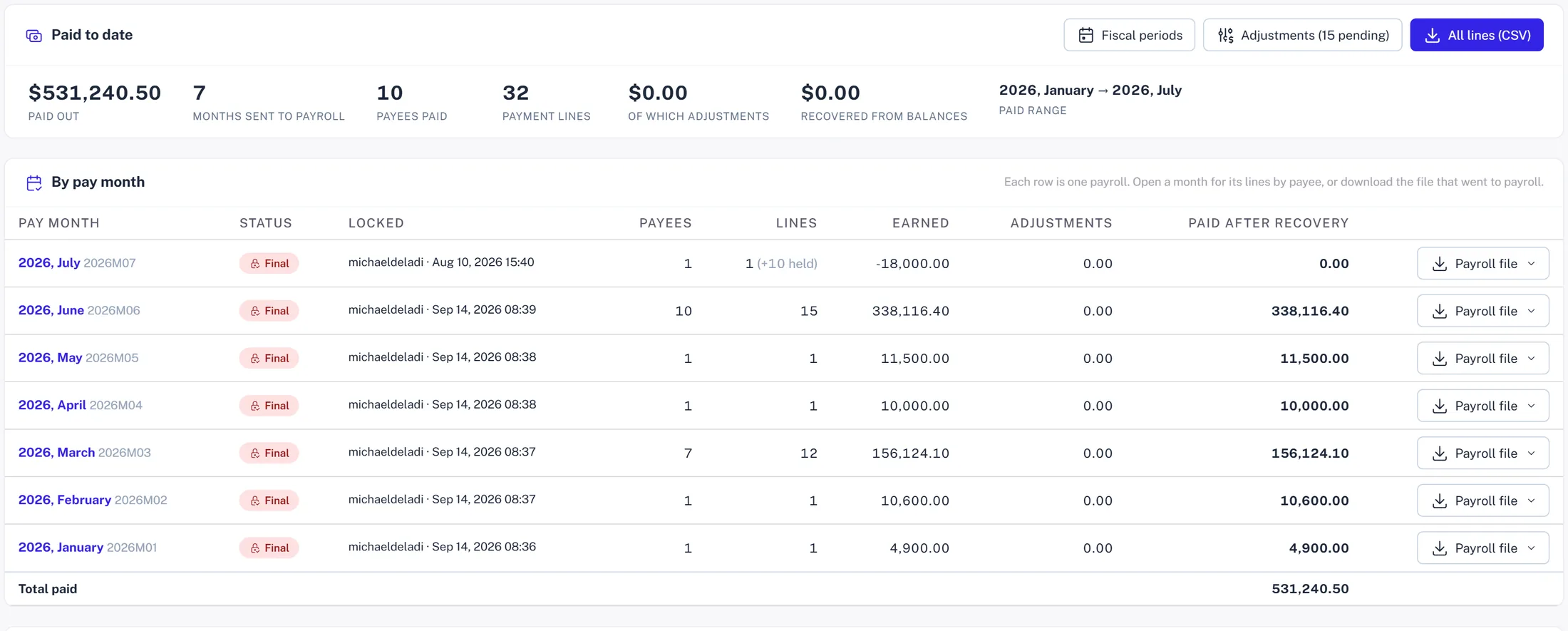
One page says what was paid.
Every row on the payments page was written when a month was locked and sent to payroll. No calculation run changes it. Where today's calculation differs from what was paid, the difference shows up as an adjustment for the next open month.
- ✓ Paid to date, months sent, payees, lines, adjustments, recovered
- ✓ The payroll file for each month, as it went out
- ✓ Commission capitalization reads this ledger, not the live run
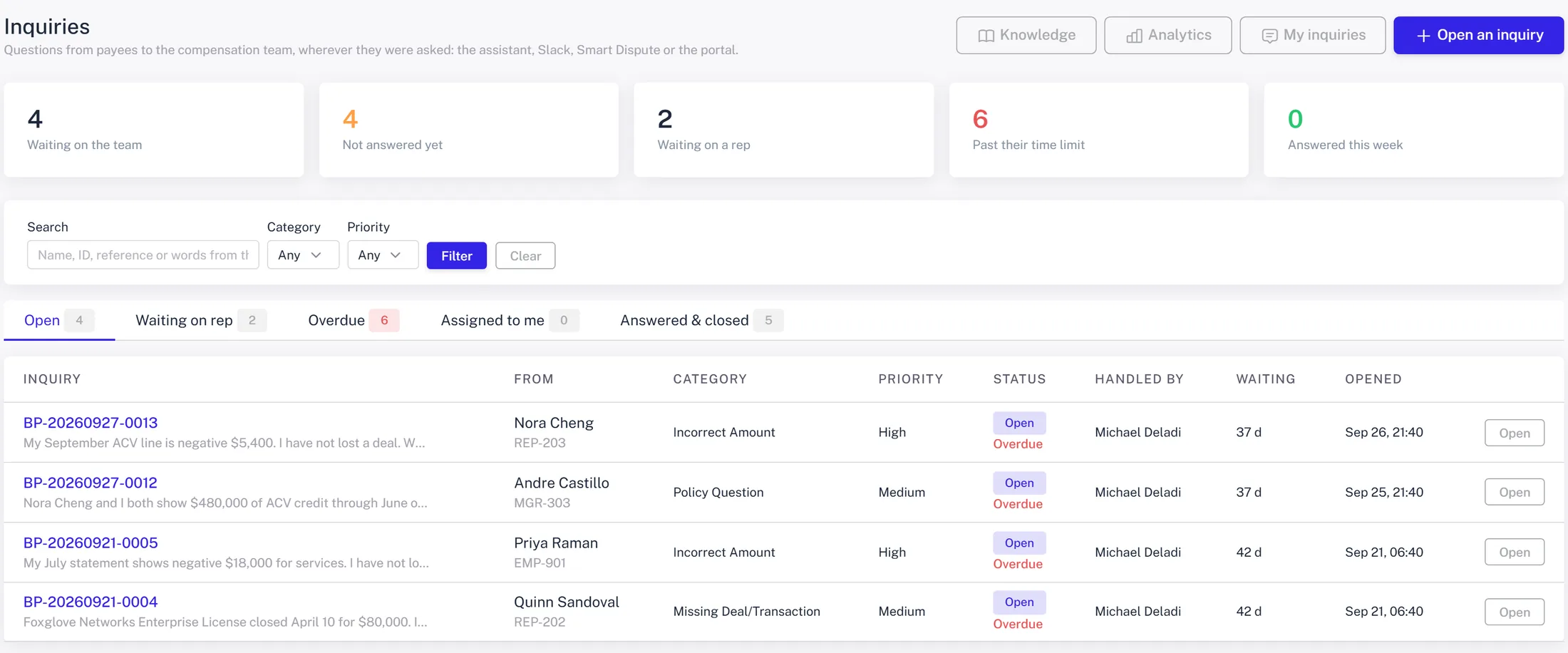
A question arrives with the math attached.
Nora's September ACV line looks wrong to them. They ask from their statement; the system attaches the calculation and the inquiry lands in the comp team's inbox with the evidence, assigned round-robin, with a time limit. A rep asking in Slack or the portal ends up in the same queue.
- ✓ One inquiry per question, from every channel
- ✓ Gate-by-gate answers for 'why isn't my deal crediting?'
- ✓ Resolve, reopen, close, with the thread kept
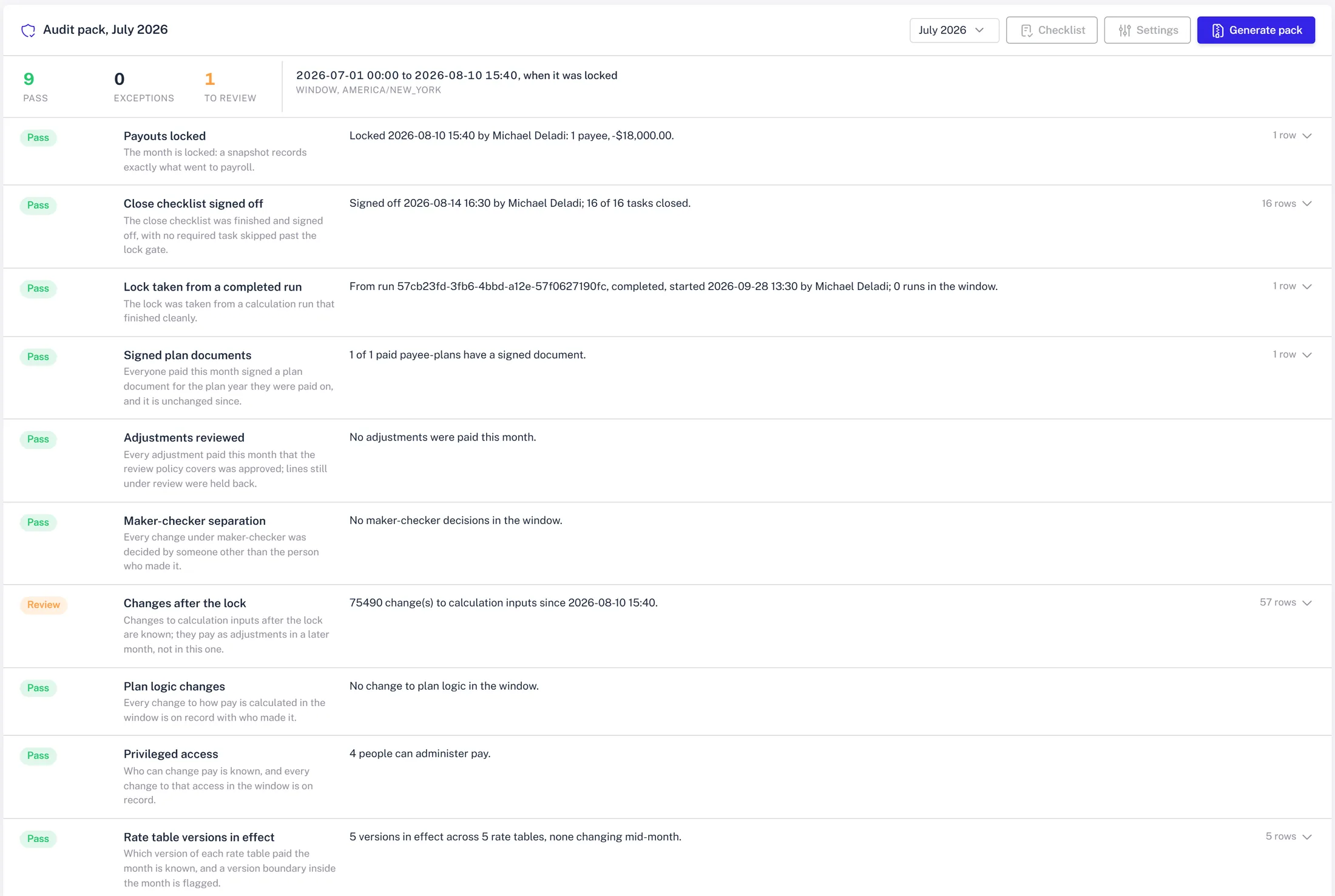
The binder was built while the month closed.
The audit pack for the period runs nine controls over the window from period start to the lock and marks each pass, exception or review. The zip carries the controls workbook, the payroll file, the signed plan documents, the checklist evidence, and a manifest of hashes.
- ✓ Generated from the close, not assembled in April
- ✓ Each control has its own severity and settings
- ✓ A golden book of 261 hand-worked payment lines gates every release of the software itself
Now run it on your plan.
Thirty minutes, your data, the same screens. Bring the messiest plan you have.
Book a demo