1.The number, then the reason
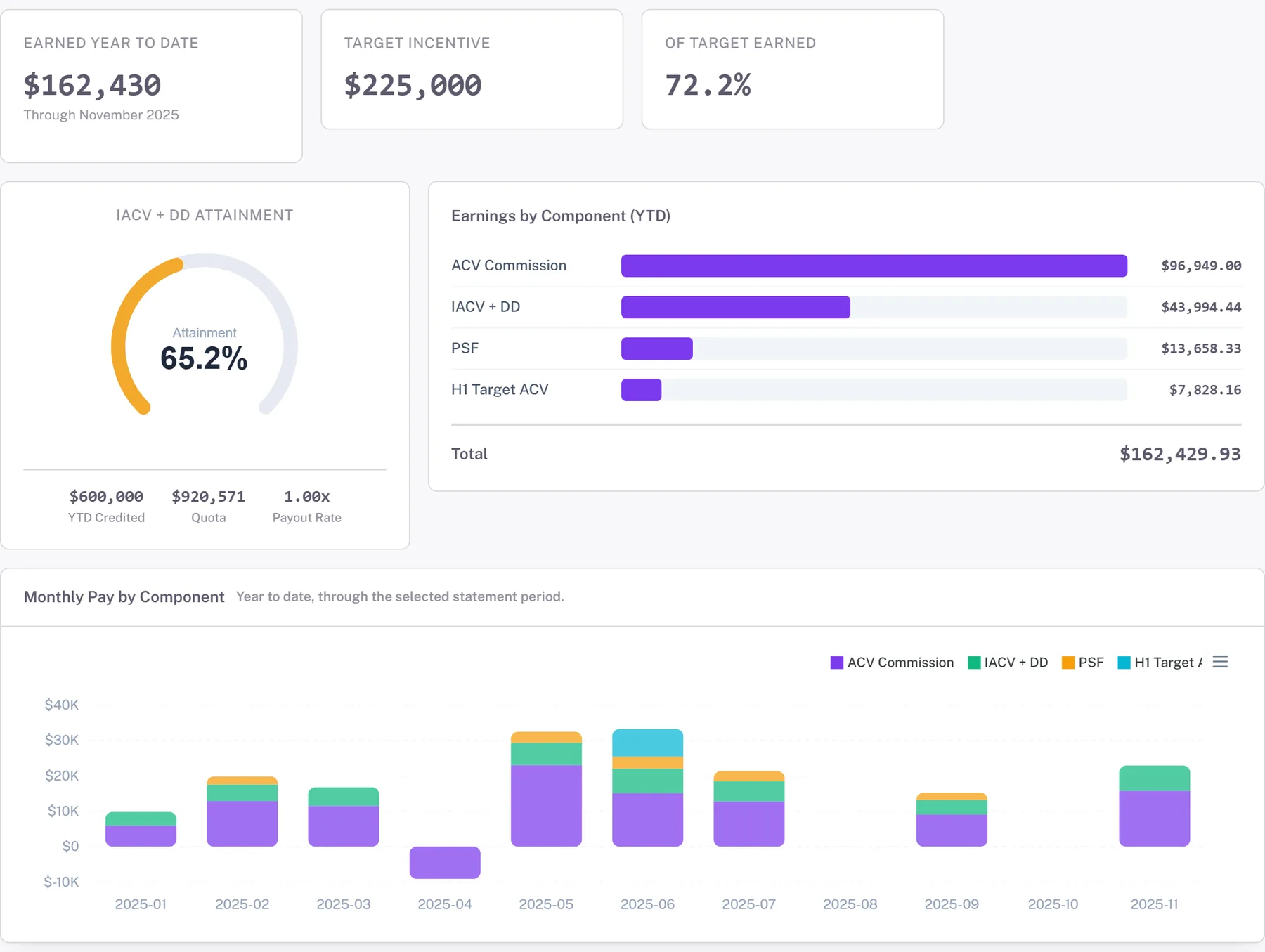
A statement that shows a total and a list of deals is a receipt. A statement that shows, for each component, the attainment, the tier it landed in, the rate that tier pays and the deals that produced the attainment is an explanation. The second one ends the email thread; the first one starts it.
Every line should open. Click the ACV commission and see the quota, the credited amount, the attainment percentage, the band in the rate table and its version, the kicker if one applied. That is the same trace the comp team would run to answer the question, so give it to the rep.
2.What was paid, and what changed
Show the month as it was paid, from the locked ledger, and never let a later recalculation change it. If something did change, a cancelled deal or a corrected split, it appears on a later statement as an adjustment line that names the month it corrects, the deal, and what moved. Year to date and pay history come from the same ledger, so the statement, the payslip and finance agree.
Reps do not mind adjustments. They mind surprises.
3.Where they stand
The next most common question after 'why' is 'how far'. Show attainment against quota for the period and the year, the distance to the next tier in dollars, and what that tier pays. A rep at 94 percent in November who can see that one more $40,000 deal crosses into the accelerator will go find it.
The same numbers answer the question in Slack. A coach that reads the live statement can say 'you are $38,200 from the 100 percent tier, which pays 12 percent instead of 8' from the rep's own data.
4.What a deal would pay
The best question a rep can ask is 'what does this deal pay me?' and the honest answer is not a rate times an amount. It depends on where they are against quota, which tier the deal pushes them into, and which kickers it triggers. So run the plan. One open deal, one month, one button: the plan runs with that deal closed and the statement shows the difference. On the demo book, a $150,000 deal closing in July pays $24,188, in about fifteen seconds.
That number is the same one finance would get forecasting the same deal, because it is the same engine.
5.A dispute button with the math attached
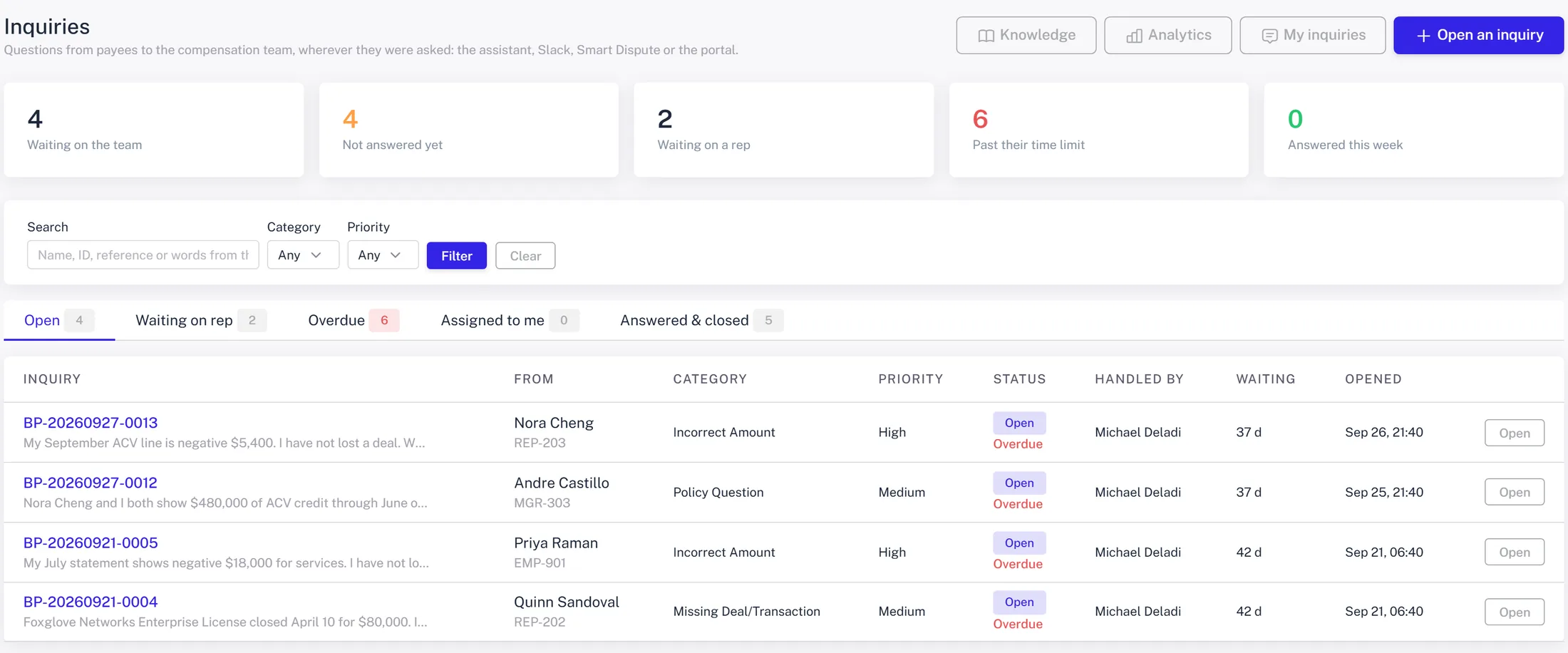
When the rep still disagrees, let them say so from the line they disagree with. The inquiry carries the calculation with it, lands in the comp team's queue with a category and a time limit, and is assigned round-robin. A rep asking the same thing in Slack or by email ends up in the same queue, as one inquiry per question. When it is resolved as an adjustment, the adjustment is linked to the inquiry, and the rep sees both.
The team's inbox should show what is waiting on them, what is waiting on the rep, and what is past its limit. That is a service level, and it is what turns comp ops from a mailbox into a function.
6.Deliver it
The statement goes out as a PDF to every paid rep at close, logged per payee, and sits in the portal with the history. A deal that credits mid-month sends a direct message with the link. The plan document they signed is one click away, so the rules and the result are in the same place.
None of this is exotic. It is simply refusing to make the rep ask.